
What does “procedural” mean in the first place
“Procedural” simply means describing how something is made via specific steps instead of manually drawing/tweaking every shape/point/etc.
In traditional illustration, you directly place points, curves, shapes, and colors. In procedural illustration, in addition to traditional approach you can define steps/rules, relationships, and parameters that generate those shapes.
For example (conceptually):
- A grass blade isn’t drawn once — it’s defined as ”trapezoid + bend + noise”
- A pattern isn’t duplicated manually — it’s “repeat this shape, rotate slightly, randomize scale”
- A style isn’t baked and can be modified at any point — it’s
stroke width = size × 0.08, meaning you can use math expressions along side with reference parameters from same or other shape(s) (nodes).
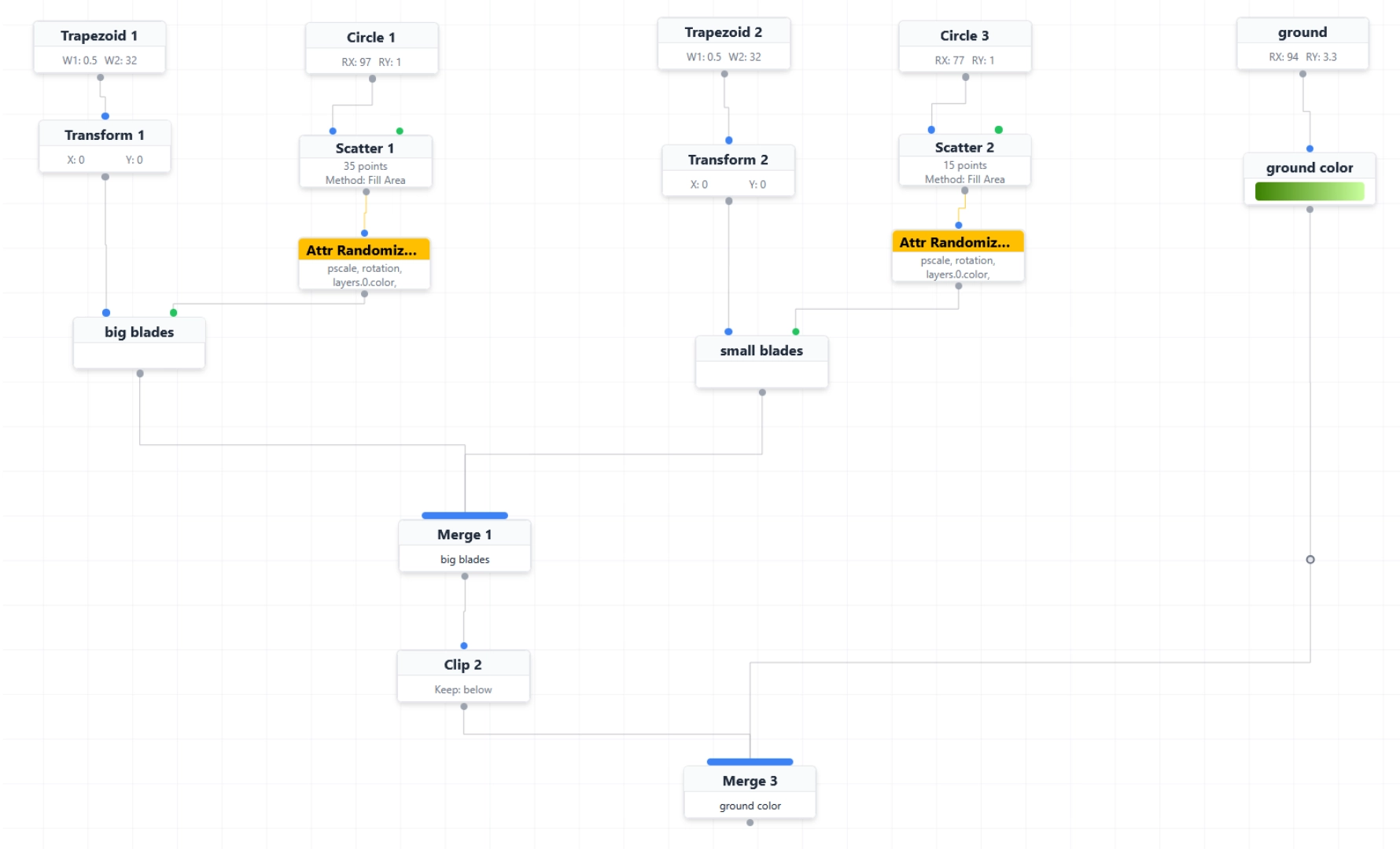
You’re still designing. You’re just designing the system, consistency. It gives you a freedom and solves fear losing hours of work, destructive edits, continious CTRL+Z, taking care of snapshots.
So, it’s about:
- Creating systems.
- Replacing a lot of manual work.
- Making change cheap and fast to edit instead of painful, error prone and slow.
- Making things reusable, extendable.
When done right, it doesn’t feel technical. When it clicks in your head, traditional way of doing things no longer feels the same. I’ve experienced the same in 3D, when moved from traditional polygonal modeling to procedural modeling.
You invest a bit more time upfront to spend less time in the future.
Why would you consider creating vector illustrations procedurally
Procedural vector art creation becomes interesting when you care about speed, consistency, variation, iteration over time.
For example:
- One design, many outcomes: you create one setup and get infinite variations of size/color/shape/etc.
- Faster iteration without losing control: you decide what can change and what must stay consistent.
- Consistency: its no longer something you have to remember — it’s something the system guarantees.
- No destructive edits: like changing proportions of shape without redrawing from scratch and updating everything that was on that shape. Everything stays editable at any point in any order much longer.
Procedural doesn’t mean “no drawing”
Ideally, it’s designed to be a hybrid. You choose where each makes sense.
For example:
- Draw shape(s) manually.
- Make parts procedural that benefit from logic and would be a pain to create by hand.
Think of it as hand drawing for expression, procedural logic for structure, repetition, and change. That what AnimGraphLab aims for.
When procedural approach is not the right choice
It’s probably not the ideal tool if:
- You need a single, emotional, one-off illustration.
- You don’t expect change, reuse, or variation.
But again it’s a personal choice. Try AnimGraphLab and let me know your feedback.
All the best :)